The reassuring second line
There is a satisfying moment in a network lab when the second connection goes in. The diagram looks more complete. You can point at the extra line and say, “That is our backup.”
Imagine handing the lab to someone else. They look at the two paths, choose one, and ask you to disable it. Suddenly, the conversation changes. Which connection will carry the traffic? What will you check? What should happen when you bring it back?
That small interruption can teach you more about the design than another ten minutes of looking at a healthy diagram. It gives the backup a job to do.
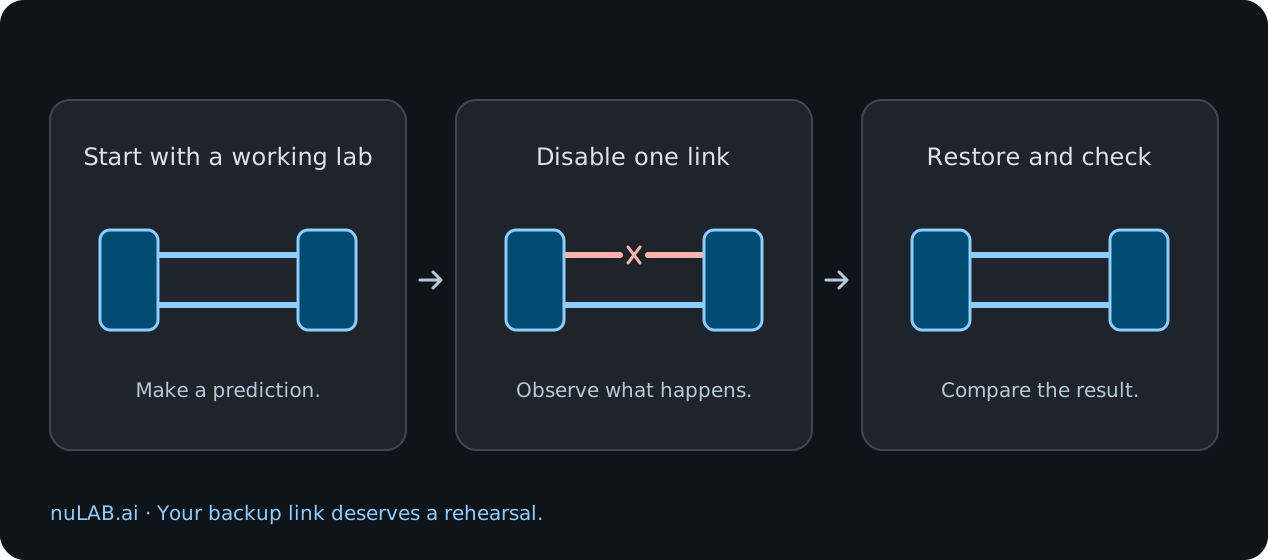
Make a prediction before the click
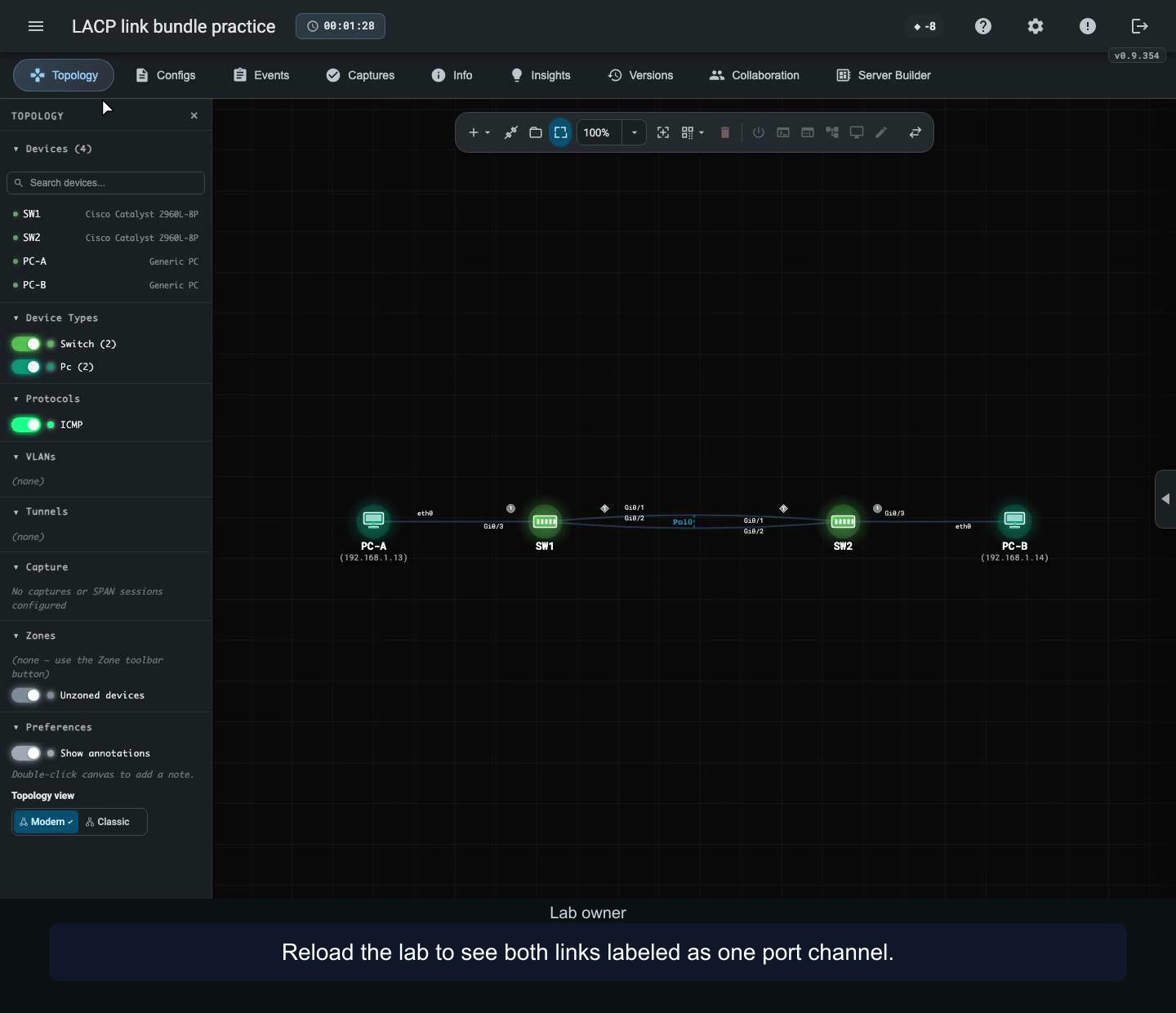
Start small. In our LACP walkthrough, two switches connect through two links, with a test computer on each side. LACP helps form those links into a bundle. The starting check shows both members bundled and the computers able to communicate.
Before changing anything, write one sentence about what you expect. For this exercise, try “If one member link goes down, the bundle will stay up and the computers will still be able to reach each other.”
Keep that prediction beside the lab. It gives you something specific to compare with what happens next.
Give the backup something to do
In the isolated lab, disable one member interface. Then look at the bundle again and repeat the same reachability check between the same computers.
In the recorded example, the port channel stays in use with the surviving member. A second ping confirms that the computers can still communicate. You can connect the observation to a particular change you made.
Pay attention to the transition as well as the eventual result. Record any missed replies you observe. A successful check after a change and uninterrupted service throughout a change are different observations. Keep the wording of your conclusion as precise as your evidence.
Sometimes the useful link is waiting
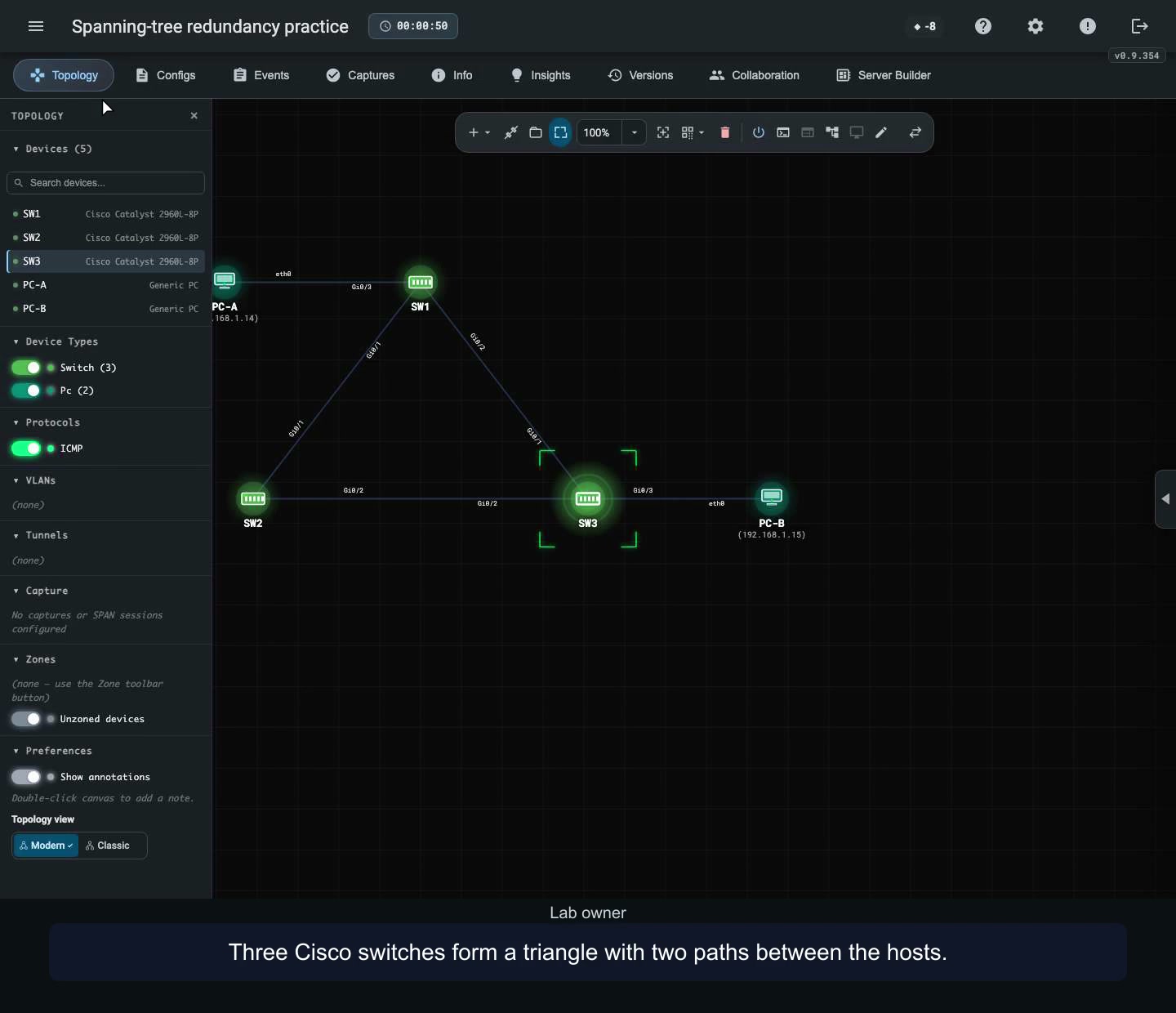
A second exercise tells a different story. Three switches form a triangle, giving the hosts more than one possible path. In our spanning-tree walkthrough, an alternate port starts in a blocking state while the selected path carries traffic.
The interesting moment comes when the selected link is disabled. The alternate takes over as the new forwarding path, and another ping checks that the hosts can communicate. The waiting connection now has a visible purpose.
Ask a learner to point to that path before the failure. Then let them run the experiment and explain what changed. The diagram becomes a prediction they can test.
The exercise ends when you bring it back
There is a temptation to stop as soon as the backup works. Stay with the lab for one more step. Restore the original interface and inspect the result again.
In the LACP walkthrough, both members return to the bundle. In the spanning-tree walkthrough, the original port roles return. A restoration check makes the whole exercise repeatable for the next person.
Keep three short notes with your result. What was working at the start? What carried traffic after the failure? What did you confirm after restoration?
Let the result sharpen your next question
Now look at the two parallel links again. Both still meet at the same switch. A successful member-link exercise answers a particular failure question. Loss of the switch itself gives you a new question to explore in a separately prepared lab.
This is how a small exercise grows into better judgement. Each observation helps you choose the next assumption worth testing. Use the device profiles and commands supported by your chosen lab, and treat physical equipment, application behaviour and recovery timing as questions for their appropriate test environments.
For your next nuLAB.ai session, give a colleague the controls and ask them to predict the outcome before disabling one connection. Compare the prediction with the result, then restore the starting state together.
The extra line on the diagram will mean more after you have watched it earn its place.