Give each lab one question
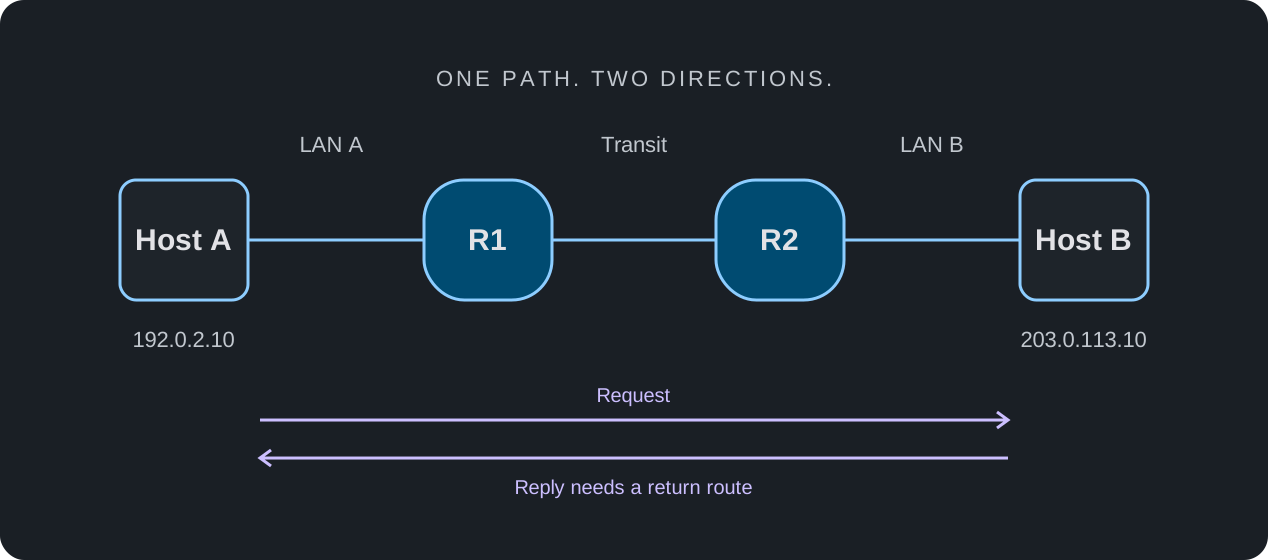
Start with a question such as: which part of the path breaks when a return route is missing? A narrow question gives you a reason to choose each node, link, and check. It also makes it easier to recognize when the selected simulator does not model something the exercise needs.
Choose the smallest topology that can answer that question. Add complexity after the baseline is understood, rather than beginning with a large diagram whose behavior is difficult to explain.
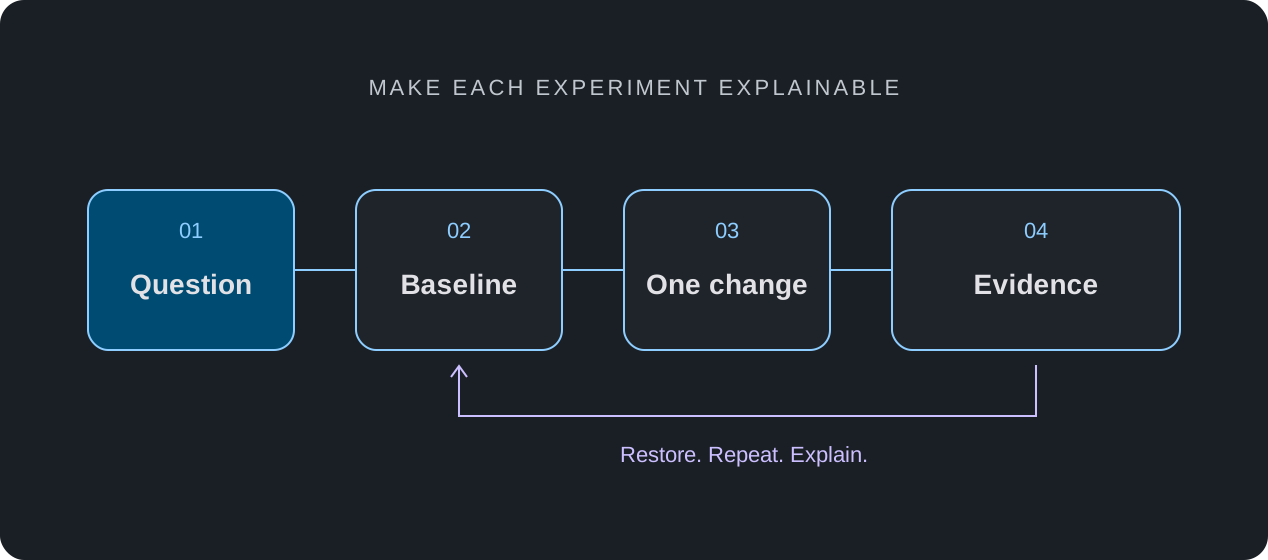
Use a baseline, one change, and a record
Write down the expected result before running a check. Keep the starting configuration and record what actually happened. The difference between a prediction and an observation is the useful part of the experiment.
- Choose profiles that support the interfaces, commands, and behavior the exercise needs.
- Build and label the topology; record the addresses and starting configuration.
- Run the baseline checks and resolve unexpected failures before applying a fault.
- Change one variable, repeat the same checks, and explain any difference.
- Restore the original state and verify recovery. Keep unresolved findings in the record.
Connect practice with learning material
A tutorial can provide a starting sequence, but repeat it without the instructions once you understand the result. Explain why the configuration works, deliberately introduce a small fault, and diagnose it from observations. This turns command repetition into a check of understanding.
nuLAB brings a browser-based simulator together with learning content. Marketplace content, tutorials, and examinations have their own publication and access requirements. Check what is currently available for your account before planning a lesson or assessment around it.
Make the result easy to review
A useful handoff contains the question, topology, starting state, change, expected result, observed result, and limitations. A colleague should be able to review that record even when they were not present for the exercise. Use only the sharing and export methods actually available in your environment.
An educational simulator can help investigate supported network behavior. It does not establish hardware throughput, complete software parity, or production readiness. Keep those conclusions separate and identify any additional tests required.